

Malware: It's all in the gift-wrapping
There is a market for gift-wrapping services in cyberspace – especially for malware.
There are thousands of malware variants out in cyberspace, including the well-known Alureon, Koobface, FakeAV, and Zeus. Behind this myriad assortment is a surprisingly small group of packers with the task of slipping malware past antivirus programs. These packers can generate an almost unlimited number of unique instances of a single underlying malware binary. And what is good news for the bad guys – and rather bad news for the rest of us – is that these software packages make malware more accessible to the more “average” cybercriminal.
You don't have to be a geek to write malicious code, but advanced skills are certainly needed to effectively hide it from antivirus engines. The current solution to this dilemma is to get a custom malware packer which is constantly being fine-tuned to avoid emulation and detection by AV engines. In this way, you don't need to recode anything once your binary is detected and you can easily distribute your old malware in new wrapper.
The below chart shows how the market for packers adds a level of efficiency into the production and distribution of malware:
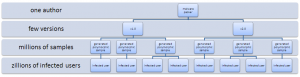
Fortunately, not all of these generated samples can reach their intended victims. It is technically impossible and, of course, we’re doing the best to detect new variants as soon as possible.
There is a definite market for custom malware packers. And, it probably isn’t even illegal as the packer author can always say that he's not responsible for what others do with his tool. After all, money has no smell.
The outsourced production of packers is visible when analyzing malware. Below is a selection of our “Top Four” malware packers where the author used a signature/tag – and the malware commonly associated with them.
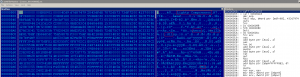
Lighty compressor was used to wrap fake security software (rogues). Related detections are Win32:Fasec, Win32:Falder and Win32:Jifas. Other AV companies call it Alureon, Tdss, SpyGuard etc. Does some of these names sound familiar to you? This malware packer does not modify the binary, it's a dropper and the malicious binary is encrypted and embedded in a polymorphic container. The packer was probably written in Russia and priced to few hundred dollars. This packer is specific with a heavy usage of obscure API functions to fool code emulators.
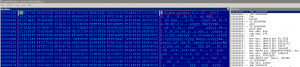
Simba packer was also used with rogue software and we know of examples where a Simba packed binary was dropped from Lighty compressor. What a nice matryoshka. Related detection is Win32:Gaoprd. Other AV call it FakeAlert, FakeAV etc. This packer uses obscure API functions. Its source and market price are not known.
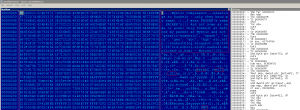
Mystic compressor is the next evolutionary step from Lighty compressor. It is quite frequently updated, a fact that implies also a wider list of related detections - Win32:MalOb-W, Win32:MalOb-X, Win32:MalOb-AE, Win32:MalOb-AF, Win32:MalOb-AL, Win32:MalOb-AT. Other antivirus programs call them Bredolab, Zbot, Zeus, FraudPack, MysticCompressor, XPAntivirus, VistaAntivirus, FakeRean, Katusha and more. If we take it together with previously mentioned Lighty compressor, the earnings (and therefore also the efficiency of custom malware packer usage) and the number of zombie machines is enormous. This packer uses more and more obscure API functions than its ancestor.
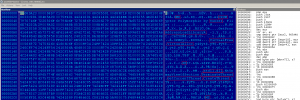
Crum cryptor is also a polymorphic dropper. It originated in Russia and only costs a few hundred dollars. It is mostly used to drop malicious AutoRuns and their payloads. Related detections are Win32:MalOb-AI, Win32:MalOb-BZ, MalOb-DW, Win32:Crumpache, Win32:Rimecud. Others call it Palevo, Koobface or Rimecud. From my observations, the Crum Cryptor is behind a third or more of recent AutoRun worm infections.
Many different, and apparently quite successful, malware families are based on a very few custom packing programs to get them past an antivirus program and into targeted computers. Even a non-geek can buy such a program and develop professionally looking (and often undetected) malware. With this semi-legal market for malware gift-wrapping services priced to move at 600 bucks, who can stop it?

1988 - 2024 Copyright © Avast Software s.r.o. | Sitemap Privacy policy